Tool
suiteql-editor-tool-kit
A query editor for writing and running SuiteQL against NetSuite, built to make ad hoc data checks fast.
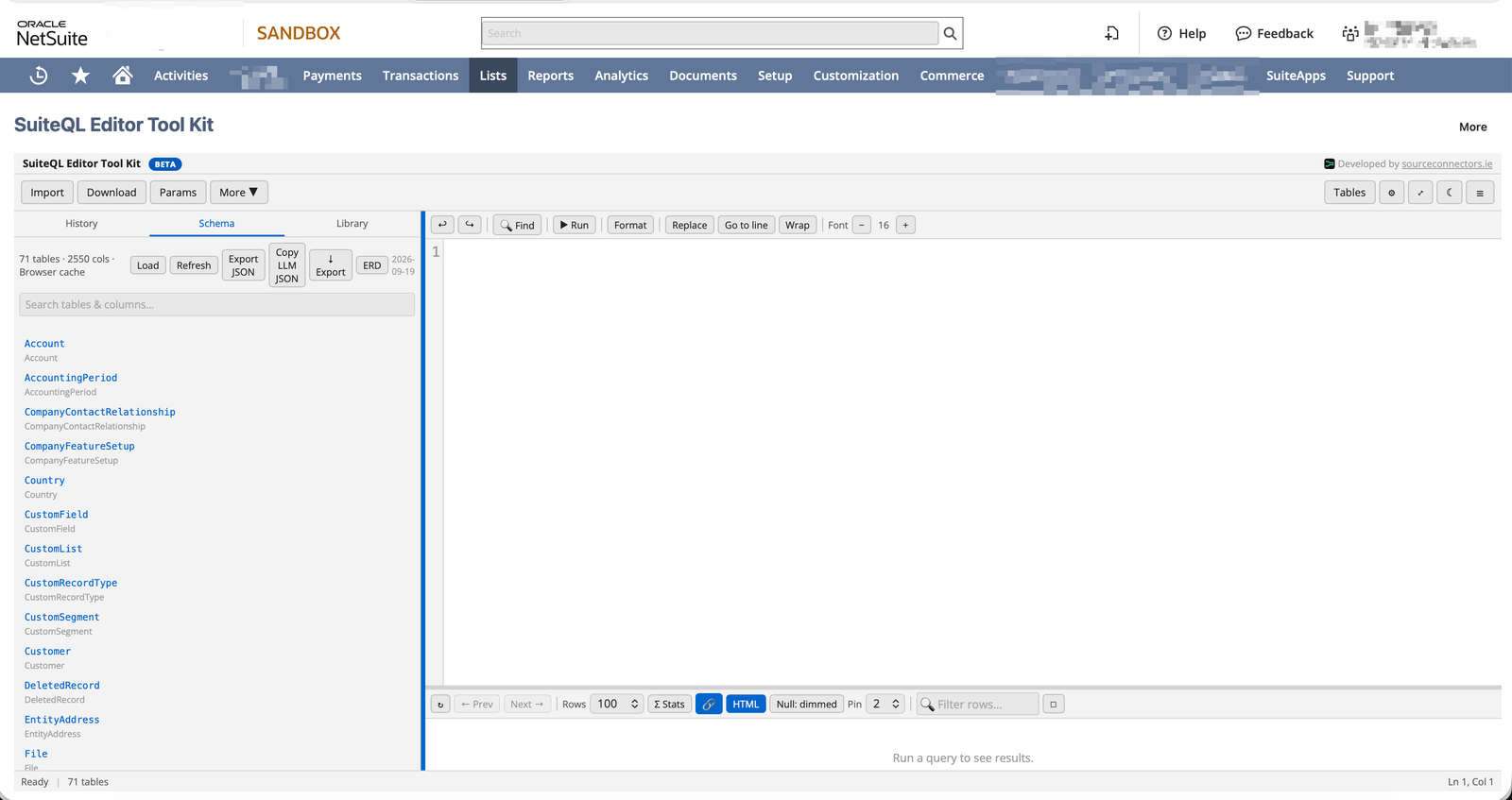
A self-contained SuiteQL editor that runs as a NetSuite Suitelet, so there’s nothing to install and nothing loaded from outside your account. Write and run SuiteQL queries against NetSuite when you need to check your data, with a schema browser, query history and export sitting alongside the editor.
Editor and schema browser
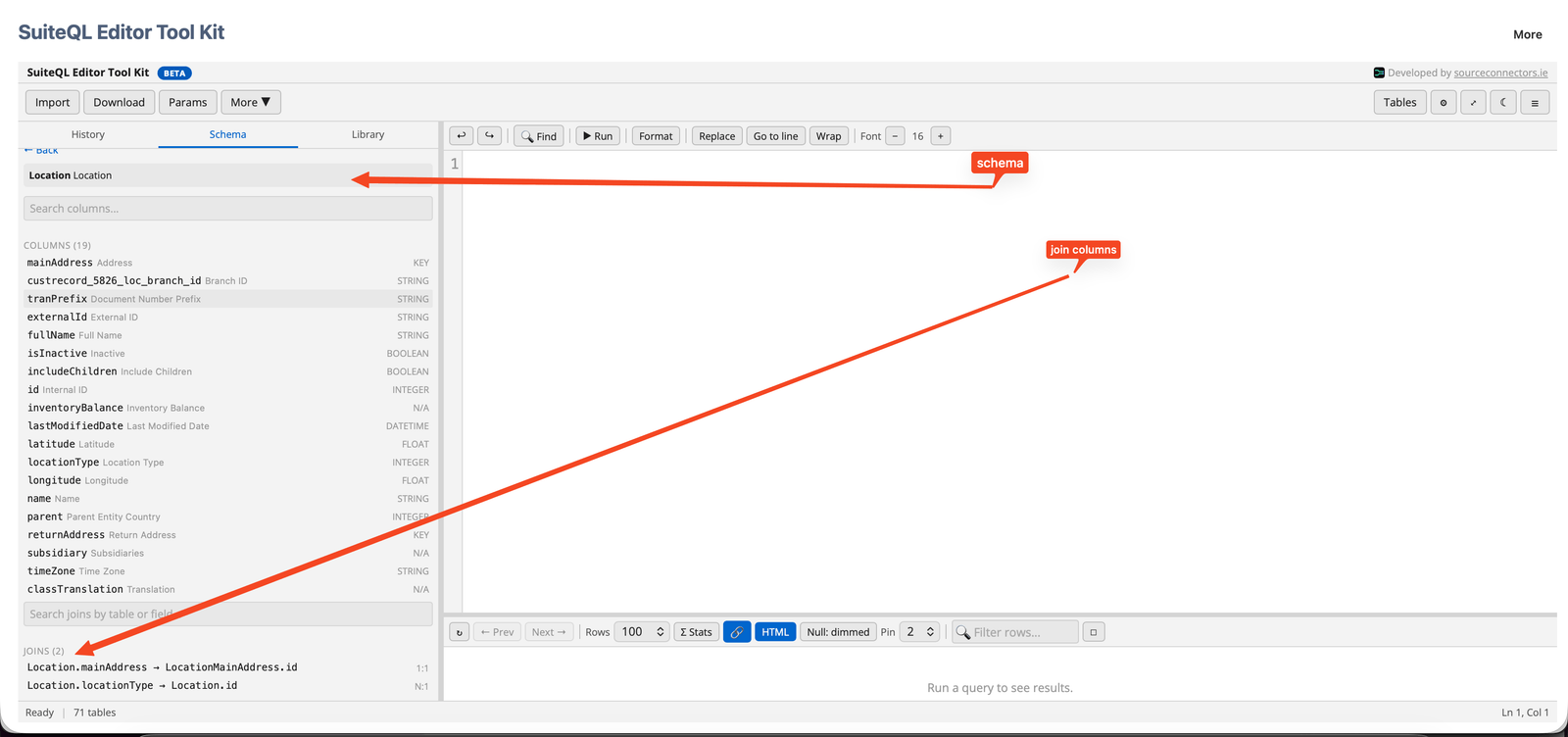
A full SQL editor with schema-aware autocomplete, next to a schema browser showing tables, columns, types, descriptions and the joins available from each table (with cardinality shown as 1:1 or N:1), plus an ERD viewer. Schema awareness is backed by tables published to the File Cabinet by NetSuite Schema Publisher — without it, the editor still runs queries, but the schema browser, autocomplete and ERD viewer have nothing to work from.
Results
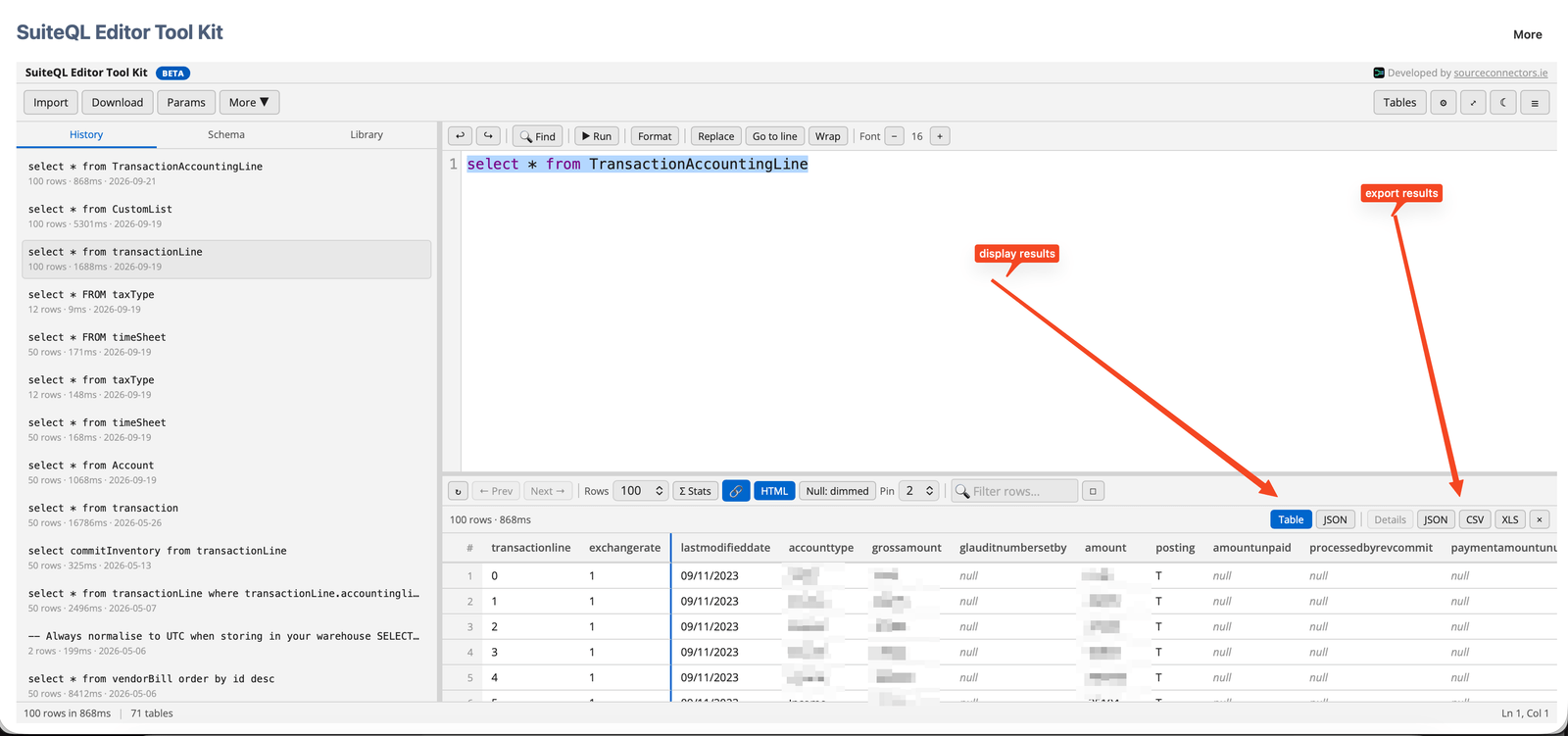
A results table with column pinning, reordering and filters, a Table/JSON view toggle, and a per-row details view for inspecting a single record.
Export and reuse
Export query results to CSV, Excel or JSON. Export the schema itself to JSON, DDL (MySQL, PostgreSQL, SQLite, SQL Server, BigQuery, Snowflake or Redshift), dbt YAML, Avro, Markdown, DBML or Graphviz DOT, or use the one-click “Copy LLM JSON” to paste schema context straight into an AI assistant. Queries can use {{paramName}} placeholders, and query history and shareable query URLs make it easy to return to or hand off a query.
Where to find it
Once deployed, Administrators find the editor from the top navigation, alongside NetSuite’s own Suite QL page.
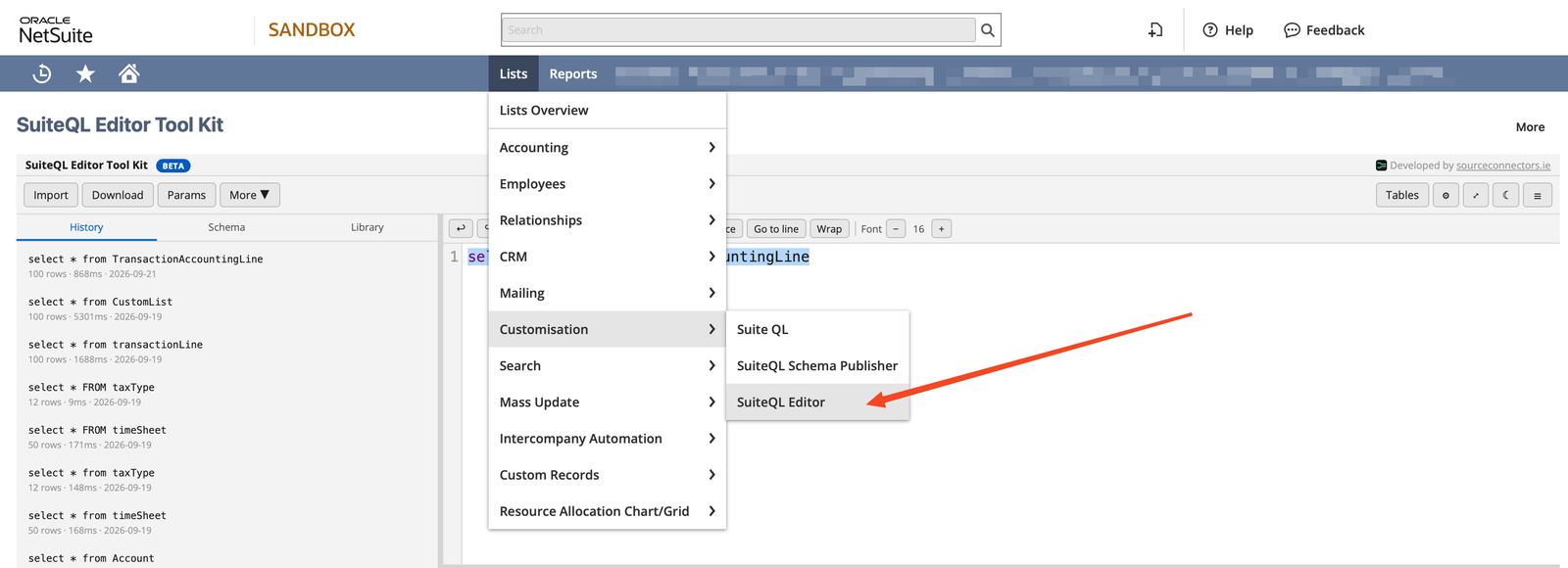
Access is currently restricted to the Administrator role. This isn’t a public download — it’s licensed and deployed as part of working with Source Connectors, not a free install. Get in touch and we can discuss bringing it into your account.